

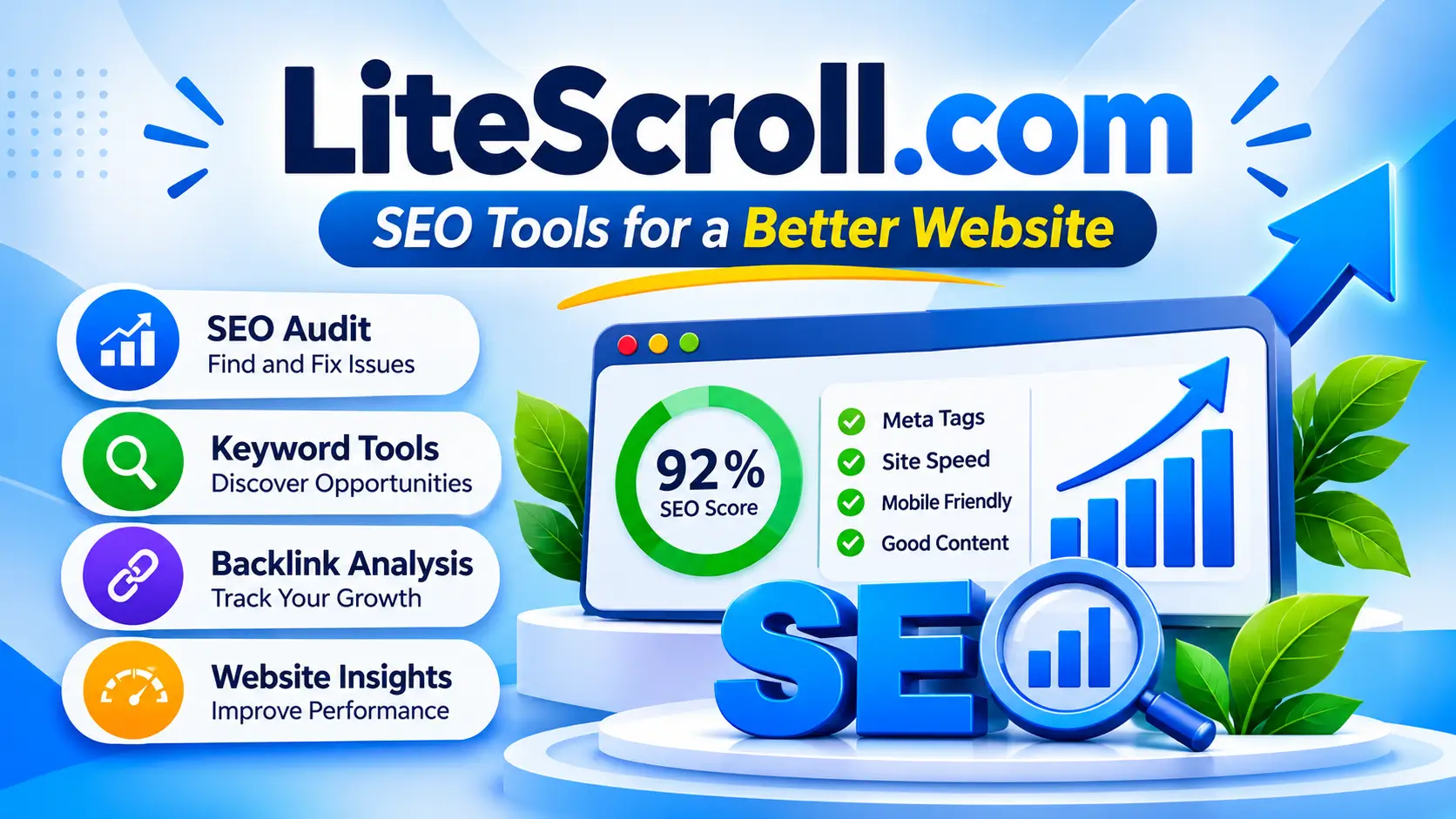
The online world has become increasingly competitive, and having a website is no longer enough to attract consistent visitors. Whether someone manages a personal blog, operates an online business, publishes informational articles, or handles SEO for several clients, maintaining a properly optimized website requires continuous attention. Search engines evaluate numerous aspects of a website, including its content structure, page titles, descriptions, technical settings, images, links, and overall accessibility. Even small technical mistakes can create difficulties for search engines and visitors.
This is where tools designed to simplify website optimization become useful. LiteScroll.com is an SEO-focused platform that brings together practical website inspection and auditing features. It is designed to help website owners, bloggers, freelancers, and small marketing teams identify common optimization problems without making the process unnecessarily complicated.
Instead of concentrating on dozens of unrelated marketing functions, LiteScroll focuses on two central activities: examining multiple website pages through its SEO Crawler and reviewing individual pages through its SEO Inspector Chrome extension. These tools provide a way to discover common technical and on-page SEO issues, examine important page elements, and organize findings into reports that can be reviewed later.
For people who regularly publish content or manage growing websites, having a convenient way to review SEO fundamentals can make routine maintenance easier. However, an SEO tool is only valuable when its findings are understood and used correctly. A report cannot automatically replace thoughtful content improvements, technical expertise, or a properly developed marketing strategy.
This guide explores LiteScroll.com, its main tools, important features, practical applications, limitations, and possible use cases. It also considers how beginners, independent publishers, and small teams can incorporate the platform into their regular website optimization activities.
What Is LiteScroll.com?
LiteScroll.com is an online platform focused on providing accessible SEO inspection and website auditing tools. Its primary purpose is to help users examine important search optimization signals and identify areas that may require attention.
The platform brings together two main products. LiteScroll SEO Crawler is designed for scanning multiple pages across a website, while LiteScroll SEO Inspector provides a way to examine the SEO characteristics of an individual page directly through Chrome.
These tools address different stages of website maintenance. A crawler can help someone recognize repeated problems across several URLs, while a page inspection extension is more useful when reviewing a particular article, landing page, or service page.
For example, a blogger might want to examine whether several published articles have missing meta descriptions. A website owner might need to discover whether important pages contain incorrect canonical settings. An SEO freelancer might want to inspect heading structures and image attributes while reviewing a client’s content.
LiteScroll aims to make these types of checks more accessible through a focused interface and report-based workflow.
The platform describes its audience as including:
- Website owners who want to maintain their websites.
- Bloggers who publish articles regularly.
- Freelancers responsible for on-page optimization.
- Small SEO teams handling multiple pages.
- Businesses that need basic website auditing.
- Content managers who review pages before publication.
An important distinction is that LiteScroll is an SEO inspection and auditing utility. It should not be confused with a complete digital marketing platform or an automatic system that independently improves Google rankings.
Its usefulness comes from helping users identify issues that they can investigate and correct.
Why Is LiteScroll.com Relevant to Modern Website Management?
Website optimization is an ongoing responsibility rather than a one-time activity. A page may be published with a suitable title and description, but later changes can introduce problems. A redesigned theme might affect heading hierarchy. An image upload could leave alternative text empty. A new plugin might modify metadata or introduce unexpected technical elements.
Without a regular review process, these details can remain unnoticed.
For smaller websites, identifying problems manually across every page can become repetitive. An organized SEO inspection process provides a more practical alternative.
LiteScroll.com addresses this need by concentrating on several common website optimization areas.
Making Technical SEO Checks Easier
Technical SEO involves the behind-the-scenes elements that influence how search engines access, understand, and process website pages. It includes information such as canonical URLs, robots directives, page accessibility, and other technical signals.
A website owner does not necessarily need to become a technical specialist to recognize that a page contains a missing title or an unexpected noindex instruction.
An inspection tool can make these signals easier to review and help users identify where further investigation may be necessary.
Supporting Consistent Content Publishing
Publishing content regularly creates additional maintenance responsibilities. Every new article needs an appropriate page title, descriptive metadata, organized headings, useful images, and relevant internal links.
Checking these elements individually can become time-consuming.
A page inspection workflow can help editors review important optimization elements before publishing or updating an article.
Improving Website Maintenance
Websites evolve over time. New pages are added, old content is revised, and technical settings change.
Regular auditing helps website owners develop a clearer understanding of their website’s condition rather than waiting until a problem becomes noticeable through declining performance or a technical error.
Understanding the Main Tools Available on LiteScroll.com
LiteScroll is built around two main tools, each serving a different purpose. Understanding their individual functions helps users choose the right workflow.
1. LiteScroll SEO Crawler
The LiteScroll SEO Crawler is designed to inspect multiple website pages through a single auditing process.
Instead of opening every URL separately, users can enter a website address and allow the crawler to examine accessible pages. The platform describes its free scan as supporting up to 25 pages per scan.
This makes it particularly relevant to smaller websites, blogs, and businesses that want to review important pages without immediately requesting a larger audit.
The crawler checks several common SEO elements, including:
- Missing, short, long, or repeated page titles.
- Missing or weak meta descriptions.
- H1 usage and heading structure.
- Canonical URLs.
- Noindex and robots-related signals.
- Image alternative text.
- Common page-level optimization problems.
After a scan, users can examine the findings and review the issues that need attention.
The report-based approach is useful because it creates a more organized record of website problems. Rather than relying entirely on memory, a site owner can refer to the report when planning improvements.
The crawler also provides report export options, including printable or PDF-style reports and CSV-style outputs, depending on available functionality and browser conditions.
For a website with a manageable number of important URLs, this can provide a convenient starting point for a basic technical and on-page review.
However, users should understand that a crawler only evaluates the information it can successfully access. Websites that block automated requests, depend heavily on JavaScript, or restrict access may produce incomplete results.
2. LiteScroll SEO Inspector
The LiteScroll SEO Inspector is a Chrome extension designed for individual page analysis.
Its main advantage is that users can review an open webpage without depending entirely on a complete website crawl. This makes it particularly useful during article editing, content reviews, competitor-page examinations, and routine publishing activities.
The extension focuses on several areas of on-page optimization.
Page titles and descriptions: It allows users to review title text, meta descriptions, character lengths, and missing metadata.
Heading structure: It examines the H1 through H6 heading hierarchy and includes an option to copy page headings. This can help editors understand how an article is organized.
Links: It provides information about internal links, external links, and nofollow links.
Images: It identifies image-related signals, including missing alternative text, lazy loading, and missing image dimensions.
Schema and social information: It checks structured data signals, including JSON-LD and Microdata, alongside Open Graph and Twitter/X card information.
Keyword inspection: Its keyword tab allows users to enter a target keyword and review whether it appears in important page locations, such as the title, description, H1, headings, and page content.
The extension also provides options for copying summaries and headings and exporting information in formats such as JSON and HTML/PDF-style reports, depending on browser and page permissions.
An important distinction is that SEO Inspector focuses on the current page being viewed in Chrome. It is not a replacement for the multi-page SEO Crawler.
3. LiteScroll Pro SEO Audit
The platform also describes LiteScroll Pro SEO Audit as a request-based option for users who need a more extensive website review.
Its published pricing information describes a larger audit request covering up to 100 pages, alongside deeper technical and on-page SEO review.
This option may be more appropriate for businesses with larger websites, agencies working on client projects, or publishers who need assistance examining a wider selection of URLs.
The Pro audit is presented as a custom request rather than a clearly defined self-service subscription with a universal fixed price.
Users should review the current request details before making a decision. They should also confirm the expected audit scope, deliverables, pricing, and availability rather than assuming that every request automatically includes the same services.
Important Features of LiteScroll.com Explained
Understanding individual features is more useful than looking only at an overall audit score. Each inspection area addresses a different aspect of website quality.
Meta Title Analysis
A page title helps search engines and visitors understand the subject of a webpage.
A useful title should accurately describe the page, reflect its central topic, and give readers a reason to consider opening it in search results.
Problems can arise when titles are missing, repeated across multiple pages, excessively long, or too vague to communicate the page’s purpose.
LiteScroll’s crawler checks for common title issues and allows website owners to identify pages that need attention.
For instance, imagine a website has ten articles about different productivity applications. If every article uses the same generic title, visitors may struggle to understand the difference between them.
The first improvement should be to create meaningful and distinct titles based on each article’s actual subject.
A good title should:
- Clearly represent the page topic.
- Include the primary search term when appropriate.
- Avoid unnecessary repetition.
- Differentiate the page from similar website content.
- Give searchers an accurate expectation of the information.
An inspection tool can identify technical problems with title fields, but the editor must still decide whether the wording is relevant and persuasive.
Meta Description Checks
A meta description provides a short summary of a page.
Although it is not a direct guarantee of higher rankings, a well-written description can help communicate the value of a page to potential visitors.
Missing, duplicate, or unclear descriptions can create opportunities for improvement.
Consider a blog that publishes an article about home organization. A description that simply repeats the article title does little to explain what readers will learn.
A stronger description might communicate the practical topics covered, such as storage planning, room organization, and simple maintenance routines.
LiteScroll helps users identify description fields that may need reviewing.
When writing descriptions, website owners should prioritize accuracy, clarity, and usefulness instead of trying to insert as many keywords as possible.
Heading Structure and Content Organization
Headings help readers understand how information is divided throughout an article.
The H1 generally communicates the main topic, while H2 and H3 headings organize related sections and supporting ideas.
An unclear heading hierarchy can make lengthy articles more difficult to navigate.
LiteScroll’s crawler and Inspector provide heading-related checks, including missing H1 elements and heading structure warnings.
The Inspector also offers a feature for copying the H1-to-H6 outline. This can be helpful when reviewing an existing article or examining how a page organizes its information.
For content managers, a heading review can answer several useful questions:
- Does the main heading accurately describe the article?
- Are major sections organized logically?
- Are supporting headings placed beneath relevant sections?
- Do headings communicate useful information?
- Are there unnecessary or empty headings?
A tool can show the structure, but a human editor must evaluate whether the content flows naturally.
Canonical URL Inspection
Canonical URLs help communicate which version of a page should generally be treated as the preferred version when similar or duplicate URLs exist.
This is important for websites that generate multiple URL variations through filters, tracking parameters, pagination, or content management settings.
For example, a website may have a product page accessible through several URLs containing different tracking parameters. Without appropriate canonical handling, search engines may encounter multiple versions of substantially similar content.
LiteScroll provides canonical-related checks that can help users review page settings.
However, finding a canonical tag does not automatically mean the configuration is correct.
Website owners should verify that the canonical points to the intended URL, uses the correct protocol and domain, and does not accidentally point to an unrelated page.
Canonical decisions are particularly important after website migrations, URL restructuring, or major changes to category and article structures.
Indexability and Robots Signals
Not every published webpage should necessarily appear in search results. Some pages may be deliberately excluded, while important articles and business pages should generally remain accessible for search engine discovery.
Robots directives and noindex instructions influence how search engines handle pages.
A common mistake occurs when a page receives a noindex instruction unintentionally.
For example, a developer may test a website using a staging configuration and later forget to remove an exclusion setting before the site becomes publicly available.
An inspection tool can help identify indexability-related signals that deserve review.
However, users should not automatically remove every noindex directive. Login pages, internal search results, duplicate URLs, and other deliberately excluded pages may be correctly configured.
The proper response depends on the purpose of each URL.
The most useful approach is to maintain a list of important pages and confirm that their technical settings reflect the site’s actual search visibility goals.
Image SEO and Alternative Text
Images contribute to the visual quality and usefulness of website content.
However, images also require thoughtful optimization. Alternative text can help communicate an image’s meaning to people using assistive technologies and provide additional context about its content.
LiteScroll provides checks for missing image alt text and other image-related signals.
For example, a travel article containing a photograph of a mountain landscape should not leave the image completely unexplained when a meaningful description would improve accessibility.
At the same time, alternative text should not become a place to insert unrelated keywords.
Good image descriptions should explain the image naturally and accurately.
Other image considerations include:
- Choosing appropriate file formats.
- Compressing unnecessarily large files.
- Giving files descriptive names.
- Using suitable image dimensions.
- Applying lazy loading where appropriate.
- Avoiding unnecessary decorative images.
- Maintaining visual clarity on mobile devices.
LiteScroll can help identify some of the technical signals, while the website owner remains responsible for image selection and meaningful descriptions.
Internal and External Link Review
Links connect webpages and help visitors discover additional information.
Internal links connect pages within the same website, while external links lead visitors to other websites.
A strong internal linking structure can help users navigate related content and make important pages easier to discover.
For instance, a technology blog publishing an article about cybersecurity might link to existing guides about password management, secure browsing, and software updates.
LiteScroll’s Inspector includes link-related checks and provides information about internal, external, and nofollow links.
This information can help editors identify pages with few useful connections or review link attributes.
However, simply increasing the number of internal links is not a meaningful SEO strategy.
Links should be added when they provide value to readers. Anchor text should describe the destination naturally, and links should direct visitors to genuinely relevant pages.
Similarly, external links should support the reader’s understanding instead of being included purely to increase the apparent authority of an article.
Schema Markup and Social Preview Information
Structured data provides additional information about page content in a format that search engines can process.
Depending on the page and implementation, websites may use suitable schema types to describe articles, products, organizations, local businesses, and other entities.
LiteScroll’s Inspector checks for structured data signals, including JSON-LD and Microdata.
It also reviews social metadata such as Open Graph and Twitter/X card information.
These elements can influence how information is presented when pages are shared through supported platforms.
However, detecting structured data does not establish that it is valid, complete, or eligible for every search enhancement.
Users should check whether the markup accurately represents visible page content and whether its implementation follows the relevant requirements.
The same principle applies to social metadata. A webpage should use an appropriate title, description, and preview image rather than relying on whatever information a platform happens to extract.
How to Use LiteScroll.com: A Practical Step-by-Step Guide
Getting started with an SEO tool becomes easier when users understand what they want to examine before opening it.
The following workflow explains how someone might use LiteScroll for routine website optimization.
Step 1: Identify the Website You Want to Review
Begin by selecting the website that requires an audit.
If you manage several websites, choose one domain at a time so that the findings remain organized.
Before starting, decide what you want to learn.
For example, you might want to investigate missing metadata, review technical settings, identify image issues, or examine the overall condition of important pages.
Having a clear objective makes it easier to interpret the findings.
Step 2: Open the LiteScroll SEO Crawler
Visit LiteScroll.com and navigate to the SEO Crawler.
Enter the website address in the available field.
The platform describes a free scan limit of up to 25 pages per scan, making it useful for reviewing a smaller group of important URLs.
Where available, sitemap-based discovery can also help identify pages for inspection.
Step 3: Start the Website Scan
After entering the website information, initiate the crawl.
The tool attempts to access selected pages and examine relevant SEO signals.
The results may include information about page titles, descriptions, headings, canonical settings, images, and indexability.
The number of pages successfully analyzed can depend on the accessibility and technical configuration of the website.
Step 4: Review the Results
Once the scan finishes, examine the report rather than focusing exclusively on the overall score.
Pay attention to individual page warnings and understand why a particular item has been flagged.
A missing title on a key product page may require immediate attention. A missing description on an intentionally private page may not require any change.
The importance of each finding depends on the page’s purpose.
Step 5: Prioritize the Most Important Problems
It is usually more effective to resolve significant problems in an organized order than to attempt every possible improvement simultaneously.
A practical priority list might look like this:
- Important pages that should be indexable but appear to have noindex signals.
- Incorrect canonical configurations affecting valuable URLs.
- Missing or duplicated titles and descriptions.
- Major heading structure problems.
- Missing image descriptions on meaningful content images.
- Internal linking opportunities.
- Optional presentation and metadata improvements.
This approach helps website owners concentrate their effort where it is most useful.
Step 6: Inspect Individual Pages with SEO Inspector
After identifying pages that need attention, use LiteScroll SEO Inspector to review them individually in Chrome.
Open the webpage and launch the extension.
You can examine its headings, metadata, links, images, schema, social tags, and keyword placement.
This step is useful because website-wide reports and individual page reviews serve different purposes.
The crawler helps identify broader patterns, while the Inspector provides a closer look at selected URLs.
Step 7: Make the Necessary Changes
Do not assume that every warning requires the same solution.
A missing description may need a new summary, while a canonical problem might require a developer to review the website’s configuration.
Similarly, an image warning should be investigated in context before changing the image’s attributes.
Make changes through the appropriate content management system or website development environment.
Step 8: Recheck the Updated Pages
After completing improvements, inspect the affected URLs again.
Confirm that the intended changes appear in the page’s accessible information.
For more technical issues, supplement the inspection with suitable testing and search engine tools.
A regular review schedule helps prevent small problems from accumulating.
Who Can Benefit from LiteScroll.com?
LiteScroll has potential applications across different types of websites.
Bloggers and Independent Publishers
Bloggers regularly create new articles, update older content, and organize internal links.
These activities create opportunities for metadata problems and inconsistencies.
For an independent publisher, LiteScroll can provide a convenient way to review important articles and identify basic SEO issues before or after publication.
A blogger could use the Crawler to examine several pages and the Inspector to review individual articles that need additional attention.
SEO Freelancers
Freelancers often work with clients who have different website structures and content management systems.
A focused inspection tool can make preliminary reviews more organized.
For instance, a freelancer might use the Crawler to identify general site-level issues before conducting a more detailed manual assessment.
The Inspector can then help examine selected URLs while reviewing individual content improvements.
It is still important to communicate the difference between an automated report and a complete professional SEO strategy.
Small Businesses
Businesses frequently depend on service pages, product descriptions, contact information, and informational content.
If important pages contain incorrect metadata or technical configuration problems, their website maintenance process may benefit from regular inspection.
LiteScroll can help identify common issues that should be reviewed as part of a wider website management routine.
Content Editors
Editors need to balance writing quality with publishing requirements.
A page can contain excellent information but still have missing metadata, poorly organized headings, or incomplete image descriptions.
Using an inspection process before publication can help editors establish consistent quality standards.
Small Marketing Teams
Smaller teams may not have access to extensive SEO software or dedicated technical departments.
A focused platform can offer a straightforward starting point for routine checks.
Teams should still use additional tools and professional judgment when dealing with large websites, competitive search terms, backlink analysis, or advanced technical SEO requirements.
Illustrative Case Studies: How LiteScroll Could Be Used in Real-World Workflows
The following case studies are hypothetical examples created to demonstrate practical workflows. They are not published customer testimonials, independently verified experiments, or claims of actual ranking improvements.
Case Study 1: A Blogger Managing a Growing Website
Imagine an independent blogger who has published several informational articles over the past year.
At the beginning, the website was small enough for the owner to inspect every article manually. As the number of URLs increased, keeping track of titles, descriptions, images, and heading structures became more difficult.
The blogger began experiencing uncertainty about whether older articles still followed the website’s publishing standards.
A structured inspection process could make the situation easier.
The blogger could begin by entering the website address into LiteScroll SEO Crawler and reviewing the available pages.
Suppose the report identifies several articles with missing descriptions and a few pages that need heading structure reviews.
Instead of editing every article immediately, the blogger could organize the findings according to importance.
The next step would be to open the highest-priority articles individually through LiteScroll SEO Inspector.
This would allow the blogger to examine the metadata, heading outline, internal links, and image information on each selected page.
The owner could then revise the relevant content through the website’s publishing system.
The main benefit in this example is not an automatic increase in rankings. It is a more organized maintenance process that reduces the likelihood of overlooking basic optimization problems.
Case Study 2: A Small Business Reviewing Its Service Pages
Consider a local business with a website containing several service pages, a homepage, an about page, and a contact section.
The business occasionally updates its services but does not have a dedicated SEO employee.
Over time, different people have added content, and the website has developed inconsistent metadata.
Some pages have vague descriptions, while others contain headings that do not clearly reflect their subjects.
The business owner could use LiteScroll Crawler to review accessible pages and identify obvious issues.
After examining the report, the owner might choose three important service pages for further inspection.
With LiteScroll SEO Inspector, the team could review the title, description, heading hierarchy, links, images, and social information on each page.
The business could then improve the wording, correct relevant image information, and verify that the pages use appropriate technical settings.
A separate manual review would assess whether the service descriptions communicate the company’s actual offerings and answer customers’ questions.
The resulting process would help establish greater consistency across the website.
This example demonstrates how a lightweight inspection workflow could support basic website management without suggesting that a tool alone can create more customers.
Case Study 3: An SEO Freelancer Reviewing a Client Website
Imagine an SEO freelancer who receives a new client project.
The client operates a content-focused website and wants to understand whether there are basic technical and on-page problems that should be addressed.
Before making recommendations, the freelancer needs an organized overview.
LiteScroll SEO Crawler could be used to examine a selection of accessible pages and identify common warnings.
The freelancer might notice several pages sharing similar titles, missing image alt text, and inconsistent heading structures.
Rather than treating every warning as equally important, the freelancer could compare the findings against the client’s business objectives.
Important landing pages would receive more attention than outdated or low-priority URLs.
The freelancer could then open selected pages through the Chrome Inspector to examine their individual characteristics.
After reviewing the technical information, the professional would prepare a broader recommendation document covering content quality, internal linking, page purpose, and additional technical investigations.
In this scenario, LiteScroll supports the preliminary inspection stage while the freelancer provides strategic interpretation.
The distinction matters because automated findings are most useful when combined with relevant experience and an understanding of the website’s goals.
What Makes LiteScroll.com Useful?
The value of an SEO tool depends on whether its functions fit the user’s actual responsibilities.
LiteScroll offers several characteristics that may make it useful for straightforward website auditing.
Readers interested in exploring more digital tools, software, cybersecurity, and artificial intelligence can also visit our guide to technology and software.
A Focused Approach
Some SEO platforms include a wide variety of features, from keyword research and backlink monitoring to competitive analysis and advertising management.
Although these capabilities can be valuable, they are not always necessary when someone simply wants to inspect page metadata or website structure.
LiteScroll concentrates on common technical and on-page inspection tasks.
This focused approach may make its purpose easier to understand for people who are primarily concerned with maintaining website pages.
A Combination of Website and Page-Level Inspection
The distinction between the SEO Crawler and SEO Inspector is an important part of the platform’s design.
One helps examine multiple website URLs, while the other focuses on the individual page currently open in Chrome.
Used together, the tools provide a practical sequence for identifying broader patterns and then reviewing selected pages more closely.
Report and Export Options
Reports provide a record of findings that can be revisited during website maintenance.
They can also help teams communicate issues to content editors, developers, or other people responsible for website improvements.
Having export and copy options can make it easier to organize information outside the inspection interface.
Accessible Starting Options
The platform describes its basic SEO tools as free to use, including a crawler scan for up to 25 pages and its Chrome Inspector extension.
This may make it an accessible starting point for bloggers and smaller website operators who want to explore basic auditing features.
Users should still check the latest availability and conditions before relying on a particular feature.
LiteScroll.com vs. a Complete SEO Platform
It is important to understand what type of work LiteScroll is designed to support.
A focused inspection utility and a comprehensive SEO platform are not necessarily competitors offering identical services.
A complete SEO platform may provide additional functions such as:
- Keyword research and search demand analysis.
- Backlink discovery and monitoring.
- Competitor research.
- Search position tracking.
- Content opportunity analysis.
- Wider site crawling and technical diagnostics.
- Historical performance reporting.
LiteScroll’s central focus is narrower: common website audits and page-level SEO inspection.
Website owners who want to understand broader optimization strategies can also explore our guide to website optimization and SEO audits.
That does not make it unsuitable for its intended purpose. In fact, choosing a tool according to the task can be more efficient than using a complicated platform for every small review.
For example, someone who only needs to check headings and descriptions may not require an extensive keyword research subscription.
On the other hand, an SEO agency managing a large portfolio of competitive websites will probably require additional research, reporting, and strategic capabilities.
The appropriate choice depends on the project’s scale and requirements.
Limitations to Understand Before Using LiteScroll.com
Every SEO tool has limitations, and understanding them helps users avoid unrealistic expectations.
The Free Crawler Has a Page Limit
The platform describes its free crawler as supporting up to 25 pages per scan.
This can be suitable for smaller websites or selected groups of important URLs.
However, websites containing hundreds or thousands of pages may require a larger auditing process.
The published Pro SEO Audit option describes a request-based review covering up to 100 pages.
Users managing bigger websites should confirm the available scope and determine whether they need a different crawling solution.
Automated Reports Need Human Interpretation
A warning is not always evidence of a serious problem.
For example, multiple H1 headings may be perfectly understandable in the context of a particular implementation, while a missing description might be relatively unimportant on a page that is intentionally excluded from search results.
The correct response depends on the page, its purpose, and the wider website structure.
Users should examine the actual page before making changes.
Some Pages May Not Be Accessible
Websites can restrict automated access through security systems, robots rules, authentication requirements, or other technical configurations.
Pages that depend heavily on JavaScript may also present difficulties for a crawler that focuses on accessible page information.
As a result, the report may not include every page or every element expected by the user.
A successful scan should not be interpreted as proof that every website issue has been discovered.
Chrome Extension Restrictions
LiteScroll SEO Inspector is designed for normal webpages in Chrome.
Like other browser extensions, it may not be able to inspect restricted areas such as browser settings pages, extension pages, or protected content.
Browser permissions and website behavior can also influence available inspection and export functions.
It Does Not Guarantee Google Rankings
Perhaps the most important limitation is that no SEO inspection tool can promise a particular ranking position or traffic increase.
Search performance depends on many factors, including content usefulness, competition, website history, technical accessibility, relevance, and the quality of the overall search experience.
LiteScroll can assist with identifying common problems, but the responsibility for deciding what to improve remains with the website owner or SEO professional.
Best Practices for Getting More Value from LiteScroll
Using an SEO tool effectively requires a repeatable process.
The following recommendations can help make website inspection more productive.
Creating optimized pages also requires a good understanding of content structure, keyword placement, and publishing practices, which are explored further in our guide to SEO-friendly article publishing.
Start with Important Pages
Do not attempt to improve every URL at the same time.
Begin with pages that have a meaningful purpose, such as important articles, product pages, service pages, and major landing pages.
This helps keep maintenance activities connected to actual website objectives.
Review Findings Before Making Changes
Take time to understand why a problem has appeared.
A missing title requires a different response from an incorrect canonical URL.
Similarly, changing a robots directive without understanding why it was added can create new problems.
Avoid Keyword Stuffing
Keyword usage inspection can help editors check whether important terms appear in relevant page elements.
However, search optimization should not become an exercise in repeating the same phrase unnaturally.
A well-structured article should use its main keyword where it fits and explain the subject through relevant supporting language.
Readers should find the content useful and understandable.
Maintain a Consistent Publishing Checklist
Create a standard review process for every new article.
A useful checklist might include:
- A descriptive and unique page title.
- A relevant meta description.
- One clear main heading.
- Logical supporting headings.
- Useful internal links.
- Accurate image alternative text.
- Appropriate canonical settings.
- Correct indexability configuration.
- Relevant structured data where applicable.
This simple habit can reduce repeated mistakes.
Recheck Pages After Major Changes
Website redesigns, theme changes, plugin updates, migrations, and URL restructuring can influence SEO elements.
After major updates, inspect important pages again.
Do not assume that settings which worked previously will remain correct after a significant technical change.
Combine Inspection with Search Performance Monitoring
An SEO inspection tool examines page characteristics, but it does not provide a complete picture of how visitors discover and interact with a website.
Website owners should also monitor performance using suitable analytics and search engine tools.
For example, search performance data can help identify pages receiving impressions but relatively few clicks.
The SEO Inspector can then help review those pages’ titles and descriptions, while a human editor considers whether the page adequately addresses its audience’s needs.
Combining different sources of information creates a more useful optimization process.
Is LiteScroll.com Suitable for Beginners?
LiteScroll may be a practical option for beginners who want to understand basic website optimization.
Many new website owners find technical SEO intimidating because it involves unfamiliar terms and settings.
Concepts such as canonical tags, robots directives, structured data, and heading hierarchy can initially seem complicated.
A tool that organizes these elements into separate inspection categories may make them easier to recognize.
A beginner could start with the following routine:
First, choose a small group of important website pages. Next, run a crawler scan and review the results. Then, select one page that needs improvement and inspect it through the Chrome extension.
After making an appropriate change, check the page again.
Repeating this process can gradually build an understanding of how different SEO elements work together.
However, beginners should avoid treating every warning as an instruction to immediately change website code.
For more complicated issues, guidance from an experienced developer or SEO professional may prevent unnecessary technical mistakes.
How Businesses Can Incorporate LiteScroll into Their SEO Workflow
Businesses benefit from treating SEO maintenance as part of regular website operations.
Instead of waiting until something goes wrong, teams can schedule periodic reviews.
For example, a small marketing team could assign different responsibilities to its members.
A content editor might review article headings and metadata. A developer might investigate technical warnings involving canonical settings or indexability. A marketing manager could decide which pages deserve the greatest attention.
LiteScroll can support parts of this process by providing page inspection and reporting functions.
A sensible business workflow could involve:
- Listing important website URLs.
- Conducting an available crawler scan.
- Identifying recurring problems.
- Assigning relevant issues to responsible team members.
- Reviewing important pages through the Inspector.
- Making changes through the website management system.
- Checking updated pages.
- Recording unresolved problems for further investigation.
This process can help teams avoid making random changes without understanding their purpose.
It also provides a clearer connection between technical maintenance and the wider business website strategy.
Does LiteScroll.com Automatically Improve Google Rankings?
This is an important question because people often associate SEO tools with ranking improvements.
The answer requires a distinction between discovering a problem and solving it.
LiteScroll helps users inspect website signals that may deserve attention. It does not independently create high-quality content, obtain authoritative backlinks, establish topical expertise, or guarantee that search engines will rank a page more highly.
For example, identifying a missing meta description provides an opportunity to improve the page’s presentation.
However, writing an accurate and useful description is still the responsibility of the editor.
Likewise, discovering a technical configuration problem does not automatically correct the underlying website implementation.
The practical value of an inspection tool comes from helping users make informed decisions.
Sustainable SEO requires a broader approach involving valuable content, clear website organization, relevant internal links, appropriate technical settings, and regular performance evaluation.
LiteScroll can contribute to the inspection and maintenance part of that process.
Final Thoughts on LiteScroll.com
LiteScroll.com is a focused SEO tool platform designed around website crawling and individual page inspection. Its SEO Crawler provides a way to identify common problems across multiple accessible pages, while its Chrome-based SEO Inspector helps users review individual page elements.
Its feature set covers important areas of basic website optimization, including titles, descriptions, headings, canonical URLs, indexability signals, links, images, schema, social metadata, and keyword placement.
The platform may be worth exploring for bloggers, freelancers, independent website owners, and small teams that need an accessible starting point for routine SEO checks.
At the same time, users should understand its limits. The free crawler has a stated page allowance, automated findings need manual interpretation, and a basic SEO report cannot replace comprehensive technical analysis or a complete search marketing strategy.
Ultimately, the most effective way to use LiteScroll is to treat it as part of a wider website maintenance routine. Identify meaningful problems, evaluate them in context, make appropriate improvements, and review important pages regularly.
When combined with useful content, responsible technical management, and a consistent optimization process, tools like LiteScroll can help make website maintenance more organized and manageable.
Frequently Asked Questions About LiteScroll.com
1. What is LiteScroll.com?
LiteScroll.com is an online platform offering SEO inspection and website auditing tools. Its main products include LiteScroll SEO Crawler, LiteScroll SEO Inspector for Chrome, and a request-based Pro SEO Audit option. The tools are designed to help users identify common technical and on-page website issues.
2. Is LiteScroll.com free to use?
LiteScroll describes its basic SEO tools as free. The SEO Crawler offers a free scan of up to 25 pages per scan, and the SEO Inspector is presented as a free Chrome extension. Users who need deeper or larger website reviews can explore the Pro SEO Audit request option.
3. What does LiteScroll SEO Crawler do?
LiteScroll SEO Crawler scans accessible pages on a website and checks common SEO elements. These include page titles, meta descriptions, headings, canonical URLs, indexability signals, and image alternative text. It also provides reports that help users review identified issues.
4. What is LiteScroll SEO Inspector?
LiteScroll SEO Inspector is a Chrome extension that examines the webpage currently open in the browser. It checks metadata, headings, links, images, keyword placement, structured data, and social tags. It also includes features for copying heading structures and exporting page information.
5. How many website pages can LiteScroll scan for free?
The platform describes its free SEO Crawler as supporting up to 25 pages per scan. Users who need a larger review can look into the request-based Pro SEO Audit option, which is described as supporting up to 100 pages.
6. Can LiteScroll.com help identify technical SEO problems?
Yes. Its tools are designed to identify several common technical and on-page SEO signals, including canonical settings, noindex instructions, robots-related information, heading problems, missing metadata, and image issues. The findings should still be reviewed manually before changes are made.
7. Is LiteScroll suitable for bloggers?
LiteScroll may be useful for bloggers who want to review article metadata, heading structures, image information, internal links, and other page-level SEO elements. Its free crawler allowance can also provide a starting point for examining smaller groups of important website pages.
8. Does LiteScroll SEO Inspector replace a website crawler?
No. The two tools have different purposes. SEO Inspector examines the current page open in Chrome, while SEO Crawler is designed to scan multiple website pages. Using both can provide a more organized inspection process.
9. Can LiteScroll check keyword placement?
Yes. The SEO Inspector includes a keyword tab that allows users to enter a target keyword and review its presence in important page elements, such as the title, description, H1, headings, and page content. This can support content reviews, but keyword placement should always remain natural.
10. Can LiteScroll.com guarantee higher Google rankings?
No SEO inspection tool can guarantee specific Google rankings or organic traffic results. LiteScroll helps users identify common website issues, but ranking performance depends on many additional factors, including content quality, competition, website accessibility, relevance, and overall SEO strategy.
11. Does LiteScroll.com provide SEO reports?
Yes. LiteScroll provides report and export options for its tools. Depending on the product and available browser functionality, these can include printable or PDF-style reports, CSV-style output, JSON exports, and HTML-style reports.
12. Is LiteScroll SEO Inspector suitable for every webpage?
The extension is intended for normal webpages that can be inspected through Chrome. Certain restricted browser pages, protected content, and pages with special access requirements may not be available for inspection. Results can also depend on website behavior and browser permissions.
13. What is LiteScroll Pro SEO Audit?
LiteScroll Pro SEO Audit is a request-based option for users who want a deeper website review. The platform describes it as supporting larger audits, with a published scope of up to 100 pages, deeper technical and on-page examination, and recommendations for important pages. Users should confirm the current scope and terms before submitting a request.
14. Is LiteScroll useful for SEO freelancers?
It can be useful for preliminary website reviews, individual page inspections, and organizing common optimization findings. Freelancers can use the available tools as part of their workflow, while relying on their own expertise and additional research for comprehensive client recommendations.
15. How often should I use LiteScroll.com?
The ideal frequency depends on website size, publishing activity, and how frequently technical changes occur. A blogger might review important articles during regular publishing and maintenance, while a business may inspect key landing pages after major updates. Reviewing the website periodically is more useful than relying on a single audit forever.
16. Does LiteScroll replace a professional SEO audit?
No. LiteScroll focuses on common SEO inspection and auditing functions. A comprehensive professional audit can also involve deeper content evaluation, backlink analysis, competitor research, performance monitoring, website architecture, and business-specific recommendations. The platform can support part of that process but should not automatically be treated as a complete replacement.
17. Can LiteScroll be used for WordPress websites?
LiteScroll’s crawler is described as suitable for WordPress websites, blogs, business sites, service pages, and other common website types. Its checks can help identify basic optimization issues on accessible pages. The results will still depend on the website’s configuration and the information available to the crawler.
18. What should I do after receiving a LiteScroll audit report?
Start by reviewing the individual warnings and identifying which pages are most important. Check whether each reported problem is genuine, prioritize technical and content issues, make appropriate improvements, and inspect updated pages again. Do not change important website settings without understanding their purpose.
19. Why might LiteScroll show fewer pages than expected?
Some websites restrict crawler access, require special permissions, rely on JavaScript to display content, or do not expose all their internal links through standard accessible page information. These conditions can affect which pages appear in a report. A smaller crawl result does not necessarily mean that the missing pages do not exist.
20. Is LiteScroll.com a good starting point for website optimization?
For people who need basic page inspection and website auditing, LiteScroll may be a convenient starting point. Its main tools address several common technical and on-page SEO areas. Users with more advanced requirements should combine it with appropriate analytics, search performance monitoring, technical testing, and professional SEO judgment.
For More Visits: Bright Magazine
Also Read: Instablu: Exploring Its Meaning, Uses, and Digital Identity
